 Sandy Robinson
Selected work,
in depth.
Frameworks, platforms and classroom tools for AI literacy, built from inside schools and an RTO. Each project links out to the live product, the repository, or the article behind it.
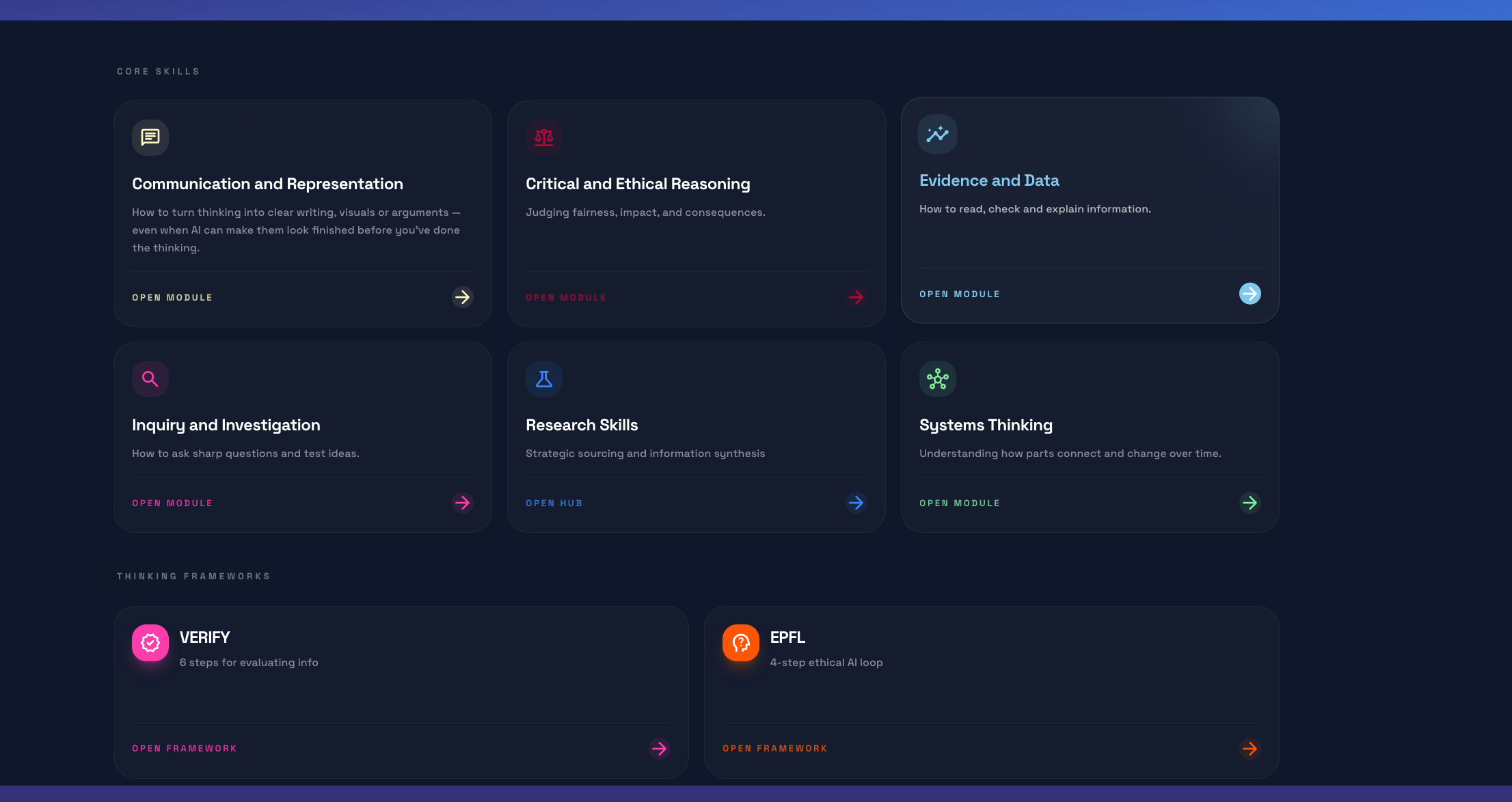
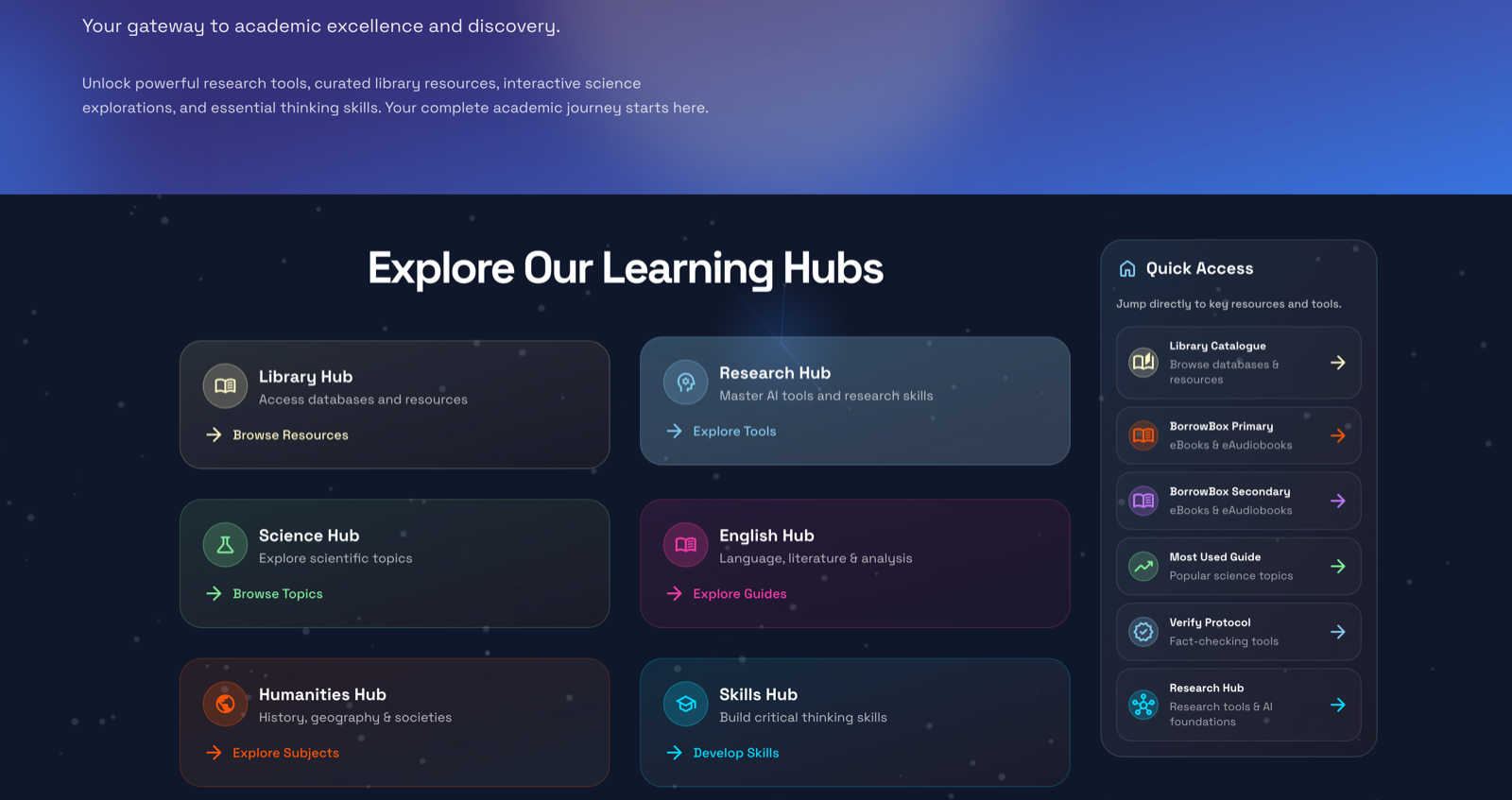
The Digital Research Hub
A school-wide learning platform at St Andrew's Anglican College. K-12, curriculum-mapped, with embedded research pathways and AI literacy, available across the College. Excellence Awardee for Best Use of Technology at the 2026 Australian Education Awards.
- 30+ original courses and modules
- K-12, curriculum-mapped
- Two research pathways and five thinking-skill modules
- Excellence Awardee, 2026 Australian Education Awards
Before the Hub, the school was using LibGuides. It was old, text-based, and out of date. The link between the library catalogue and the actual research students were doing had broken. The databases attached to it sat unused. What had been a research tool had turned into pages of dead links and dense text.
The usage stats confirmed what I suspected: almost nobody was opening the LibGuides or the databases. That gave me room to start again. I designed something that worked for teachers and students at the same time, starting from how students actually research rather than from a list of links.
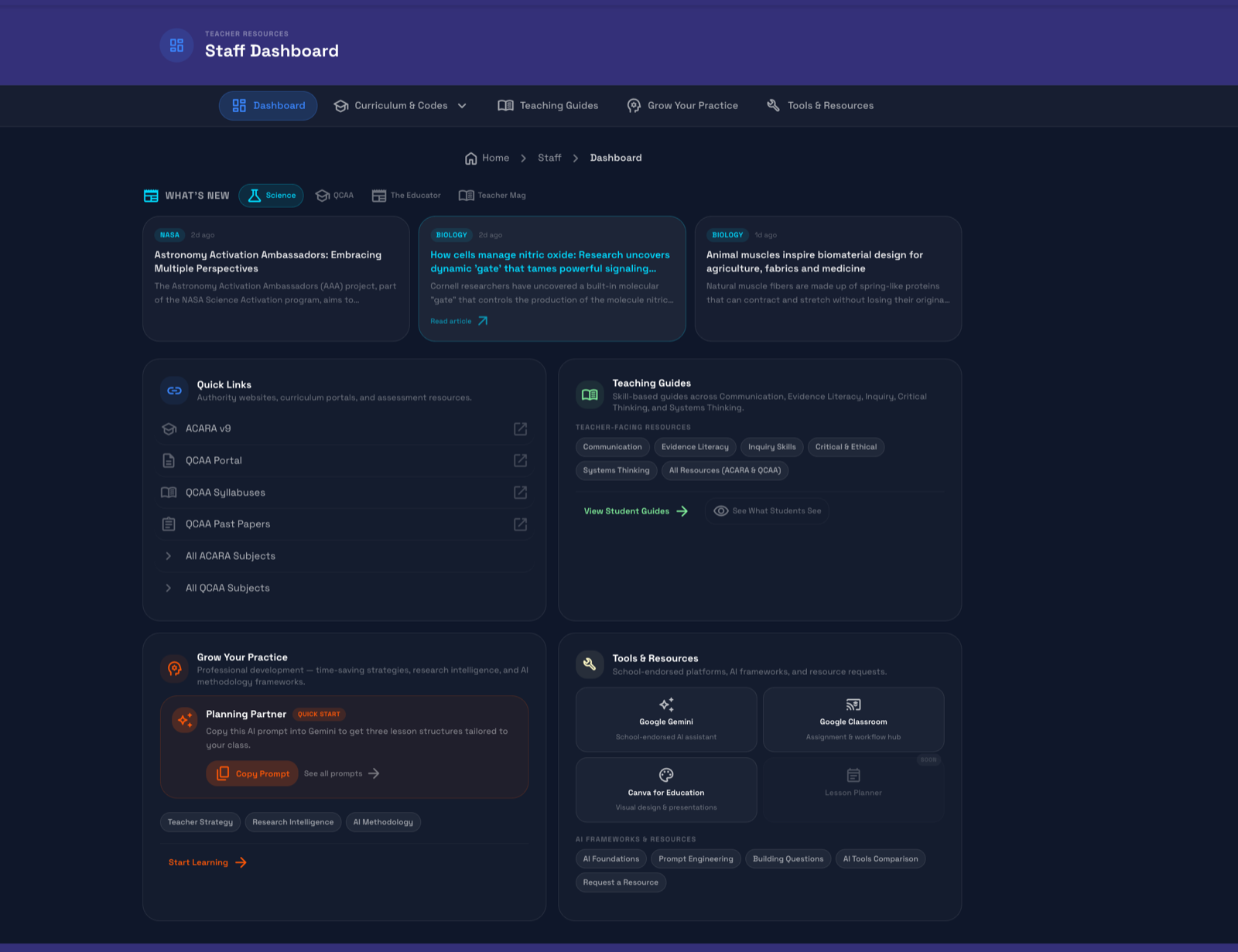
I researched, designed, and built the platform. The two Research Hubs and the five Skills Modules, the structural backbone of the site, are entirely mine. The subject-specific hubs were collaborative: I worked with teachers who wanted updated content or interactive labs for their units. The IT team supported deployment and integration.
Two structured research pathways guide students through defining questions, locating credible sources, evaluating information critically, and constructing evidence-based arguments. AI tools sit inside that framework, not above it. Five thinking-skill modules run through everything: Inquiry and Investigation, Systems Thinking, Evidence and Data Literacy, Critical and Ethical Reasoning, and Communication.
The platform shipped. K-12, curriculum-mapped, embedded research pathways and AI literacy. Available across the College. Recognised at the 2026 Australian Education Awards as an Excellence Awardee for Best Use of Technology. The bigger change, though, is in how people use it.
Teachers ask for custom tools or items to be added, and because it's built in-house, they can see those changes ship.Students who find the platform keep coming back. Both happen because the platform is built in-house, which a vendor product can't offer.
If I started over, I would standardise the design from day one. This was my first big project. I expected a longer trial before live use, and the trial folded under demand before I had a chance to standardise. The platform sprawled, and retrofitting uniformity after the fact is much harder than designing it in from the start. Next time, I'll set up the design system before building the pages.
The VERIFY Framework
Stop typing at AI. Start thinking with it.
A six-step thinking cycle for navigating AI in classroom work. Designed for students, but useful for anyone who needs to stand behind their work.
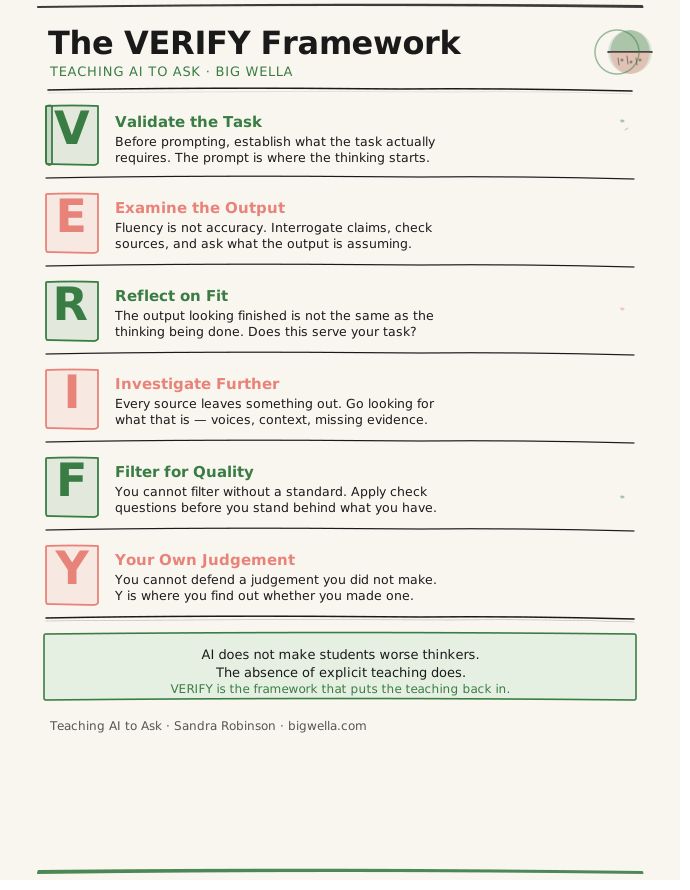
- VValidate the TaskBefore prompting, establish what the task actually requires. The prompt is where the thinking starts.
- EExamine the OutputFluency is not accuracy. Interrogate claims, check sources, and ask what the output is assuming.
- RReflect on FitThe output looking finished is not the same as the thinking being done. Does this serve your task?
- IInvestigate FurtherEvery source leaves something out. Go looking for what that is. Voices, context, missing evidence.
- FFilter for QualityYou cannot filter without a standard. Apply check questions before you stand behind what you have.
- YYour Own JudgementYou cannot defend a judgement you did not make. Y is where you find out whether you made one.
AI does not make students worse thinkers. The absence of explicit teaching does.VERIFY is the framework that puts the teaching back in.
AI predicts rather than thinks. It produces fluent, confident answers without knowing whether any of it is true, and students often mistake that confidence for understanding.
The conversation about AI in schools has been stuck on cheating. The bigger risk is that students stop doing their own thinking because the AI has already done it for them. AI being in the classroom isn't the problem. The problem is that nobody has taught students how to work with it.
VERIFY is a six-step thinking cycle rather than a checklist. It helps students take ownership of their work instead of running on autopilot. Each letter is a question students can ask before, during, and after they use AI. The aim is not to slow them down. The aim is to put their thinking back at the centre of the work and keep it there.
The resources include a classroom poster, prompts for teachers, and versions adapted for English, Science, History, Media Studies and Health that fit into tasks teachers already run. VERIFY runs across the lifecycle of a task. Validate before prompting. Examine and Reflect during the work. Investigate, Filter and stand behind Your own judgement before anything goes in.
It aligns with the Australian Framework for Generative AI in Schools. It also gives teachers something the framework alone does not: a shared language they can put into a student's hands on a Monday morning.
Students spend less time copying and paraphrasing and more time evaluating what they've found. They stop asking "what did it say" and start asking "is this any good, and can I defend it".
It's not about who wrote the first draft.It's about whether you can explain why it's worth reading.
The most common objection is that this adds to students' cognitive load. In practice it doesn't. Students were already trying to work out what counts as their own work, and VERIFY gives them a clear way to answer that. The deeper objection is about ownership. If a student verifies AI work, did they write it? Asking that question is the thinking schools need to teach, and it's what VERIFY is built to teach.
The article below is the first articulation of VERIFY. The framework has continued to iterate since, in step with what classrooms keep teaching me.
Reality Audit v2.0
Make the invisible visible.
Five stages for keeping your mind in the game when working with AI. Where VERIFY teaches students to interrogate the output, Reality Audit teaches them to interrogate the interaction itself.
v1.0 was about safety: don't fall for the polite robot. v2.0 is about strength: don't let the AI make you weak.
- 1Intention · Predictive CalibrationDeclare your state before you open the tool. Lost, Partial, or Confident. Each state needs a different approach.
- 2Interaction · The Friction ProtocolForbid the AI from being polite. If it agrees immediately, that is a red flag, not a reward.
- 3Response · The Fluency AuditRead your emotion, not just the output. Relief means you got played. Curiosity means your brain is working.
- 4Reflection · Social TriangulationTake the AI's best output to a real human before you trust it. AI makes disagreement feel optional. They don't.
- 5Academic Branch · Prove You Learned ItIf you can't explain it on a blank page without the AI, you borrowed the understanding. You didn't earn it.
These three layers don't switch on and off between stages. They apply to every interaction you have with AI.
Cognitive. Am I thinking better, or avoiding thinking? How AI affects your thinking process and intellectual growth.
Emotional. Curious, bored, frustrated, or done? Your emotional state shapes what the AI gives back to you.
Systemic. What forces shape this tool? AI is not neutral. Who built it, and what were they optimising for?
v1.0 was about safety. v2.0 is about strength.Reality Audit is the protocol that keeps your mind in the game.
The conversation about AI in schools kept coming back to cheating. But cheating is a symptom. The harder problem is what happens during an AI interaction, before the output appears.
Without awareness, AI can easily become an echo chamber, because it mirrors what you bring to it. If the student is curious, it amplifies curiosity. If the student is angry, anxious, isolated, performing, it amplifies that too, fluently and politely. The core issue is that students are rarely taught to notice how they're feeling when they prompt.
I wanted a model that makes the emotional, cognitive and systemic side of an AI interaction visible: a cycle students come back to and refine over time, so ethics becomes everyday practice rather than policy. The protocol works for both the student writing the prompt and the teacher in the room. The teacher's role isn't to police prompts, but to help students notice what's going on without making them feel ashamed or defensive.
v1.0 tracked six steps: Feeling, Intent, Prompt, Output, Consequence, Reflection. The student asked: what state am I in, what do I actually want, what words am I using, what came back, what am I doing with it, would I be okay if someone I trusted saw this exchange. The teacher tracked the same six from the outside.
v2.0 collapses the loop into five stages with three layers of awareness running underneath. Predictive Calibration. The Friction Protocol. The Fluency Audit. Social Triangulation. An Academic Branch that closes the loop with: if you cannot explain it on a blank page without the AI, you borrowed the understanding. The Cognitive, Emotional and Systemic layers do not turn on and off between stages. They apply to every interaction.
Students start prompting more slowly and listening to what comes back differently. Relief stops feeling like success. Curiosity stops feeling like a detour. Teachers get a shared language for the part of AI use that used to be invisible.
I am not trying to stop students from using AI.I'm trying to give them a way to think while they use it: to check what they're doing and why, and to notice how their choices feel.
There are two versions of Reality Audit, which began as EPFL, because using it in classrooms kept teaching me something new. There will probably be a third, because students will keep meeting new tools and the protocol needs to keep up. The loop is not limited to AI. It applies to any system that shapes how students take in and create information, including social media, recommendation engines, newsfeeds and advertising. If students do not learn to question the feedback they receive, they keep reinforcing patterns that limit their thinking and erode their agency.
The article below is the v1 articulation of the framework, first published as EPFL. v2.0 (above) is the iteration that came out of using v1 in real classrooms.

RePrompted
Rules are just drafts. Revisions make the magic.
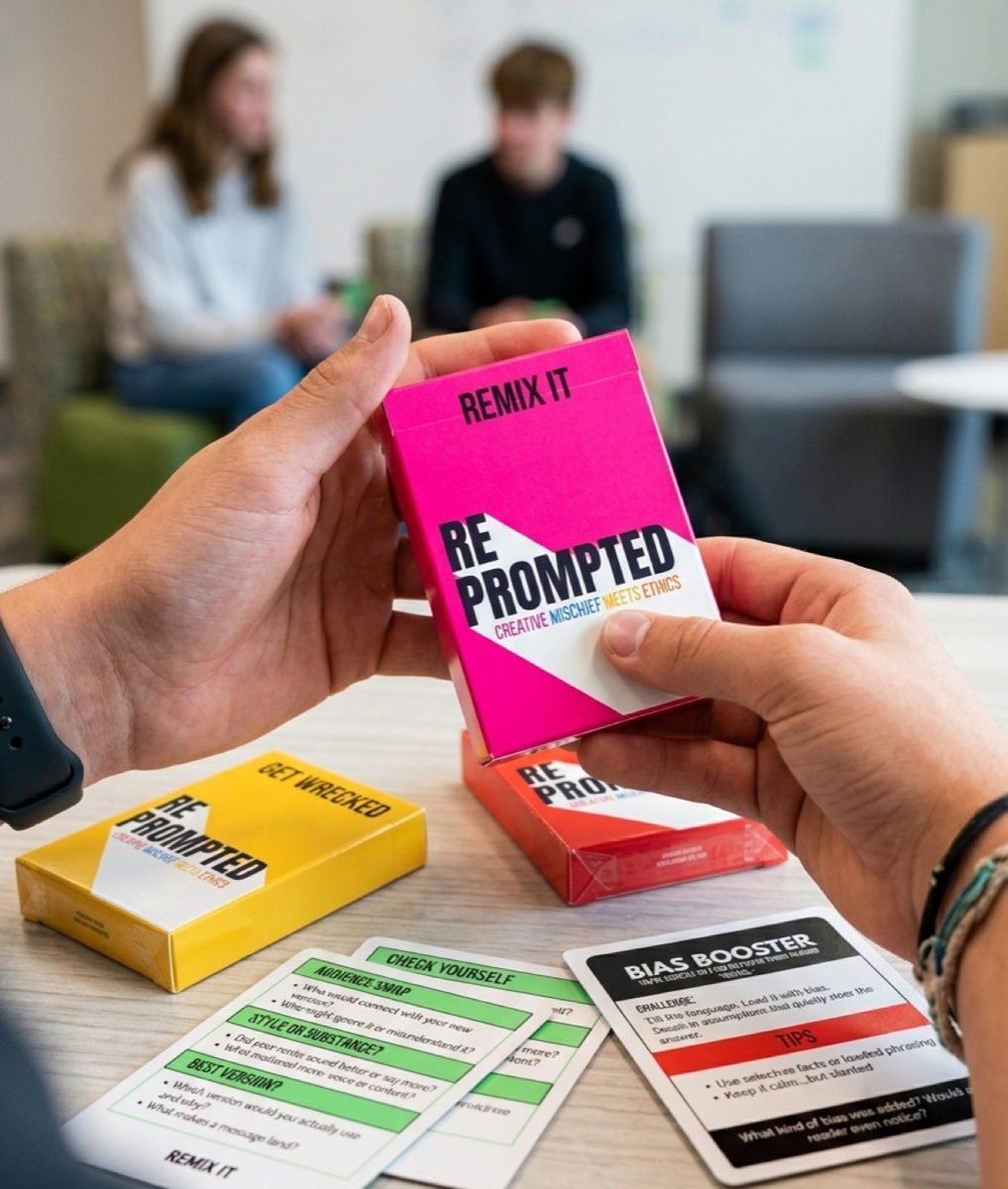
A set of physical prompt cards for teaching prompting and AI ethics in the classroom. Students draw a card, respond, revise and defend their thinking. The cards start the discussion, and the discussion does the teaching.
- Prompt engineering without ever opening a chatbot
- Two pieces: RePrompted (the main deck) and Trained On (a sub-game)
- Physical decks for small groups inside an existing lesson
We keep handing students AI tools and asking if they'll cheat. We should be asking if the task was ever worth doing in the first place. With younger learners, launching straight into ChatGPT turns thinking into a transaction. Prompting becomes typing, and kids become users before they've learned to be thinkers. That skips the part that matters most.
Don't start with the chatbot. Start with the thinking that shapes it. I use games because they get students talking, engaged and learning together, not just to make lessons fun. The classroom is often the first place students test ideas. I don't want to replace that with a chatbot.
RePrompted is a card-based tool that teaches students how small changes in language shift tone, clarity, and power. They remix sentences, debate intention, and spot how persuasion works long before AI even responds.
Trained On is a sub-game. Each student acts as an AI trained on a single, biased source. TikTok. War propaganda. 1950s etiquette. They answer prompts from inside that worldview. Both let students practice prompt engineering without ever opening a chatbot. They are not about prompting. They are about bias, agency, and critical trust.
Students get involved quickly. They ask more questions and stop waiting to be given the answer. The cards show something a chatbot can't show as clearly: how you frame the question shapes everything that follows.
Students find it funny, and it sticks.Trained On is the one that surprises teachers most. Watching a kid argue in character as "TikTok" reveals how voices get trained into us, long before anyone says the word algorithm.
Different year levels need different approaches. Middle school students need curiosity, connection, and confidence. Shared language before access. Senior students face urgency and need tools, fluency, and good judgment. One deck can't do both. The cards are still in development. The fear in classrooms isn't cheating. It's raising a generation that thinks their ideas aren't enough. RePrompted is one small intervention against that.
This is exactly the adoption mistake many institutions make: they treat access as literacy. Giving students a chatbot is not the same as teaching them how systems frame, distort, compress, and reward certain kinds of thinking. The deeper issue is not whether students cheat. It is whether they learn to outsource the messy part of forming judgment before they have built enough judgment to know what they are outsourcing.LinkedIn response to Don't Start With the Chatbot.
AI Literacy Workshop Programme
In-class sessions on prompting and verification, with pre and post measurement of student work. The workshops are the teaching side of the same questions VERIFY and Reality Audit formalise.
- 40% improvement in real student prompt quality after the sessions
- Measured from live usage, not a test
Signal. An AI Learning Insights Dashboard surfaces what students are actually doing with AI across subjects. What they do, not what they say they do.
Intervention. In-class sessions on what a good prompt looks like, how AI gets things wrong, and how to verify. Tied to the subjects students are actually working on.
Effect. Prompt quality climbs 40% after the sessions. Measured from students' actual AI use, not a separate test.
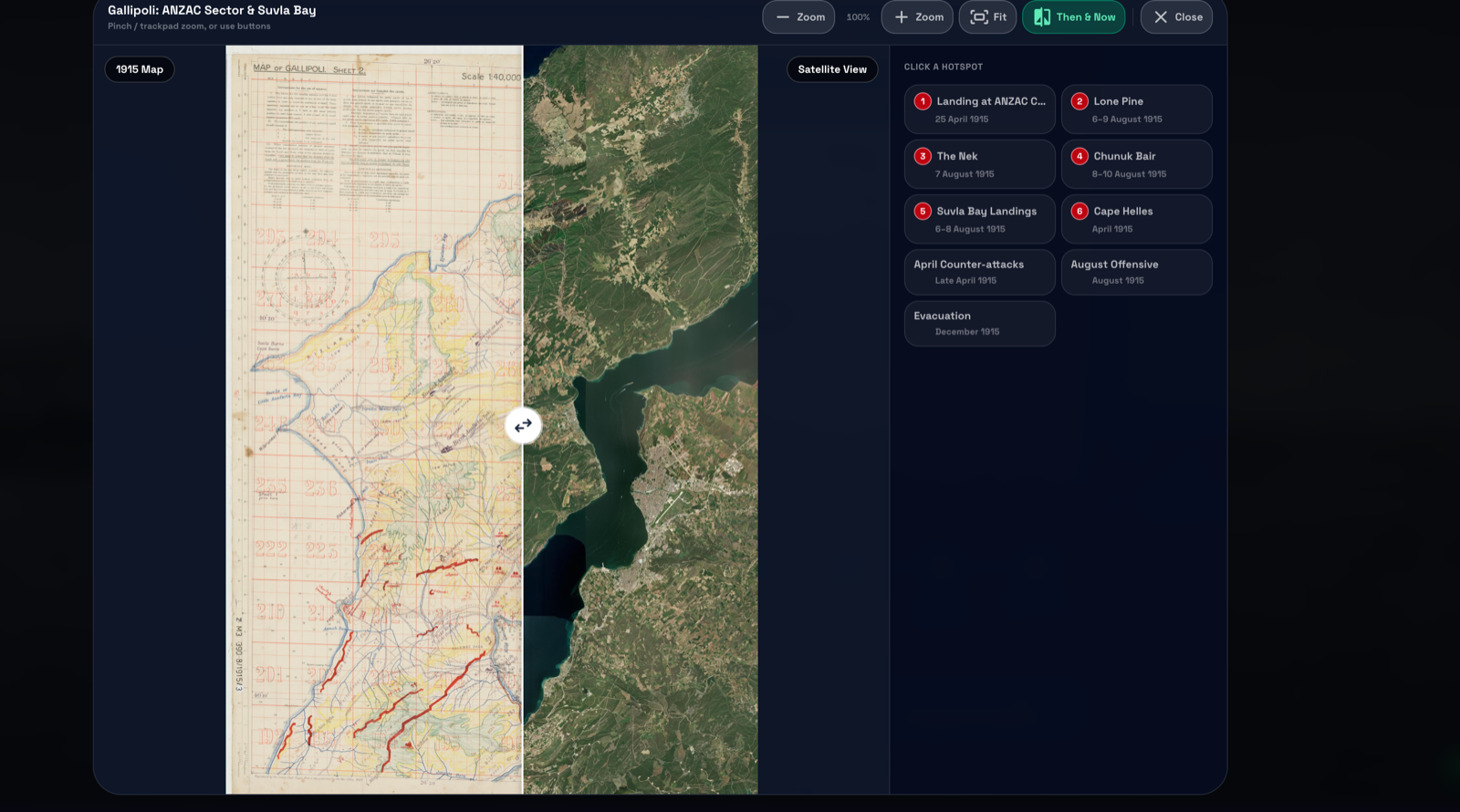
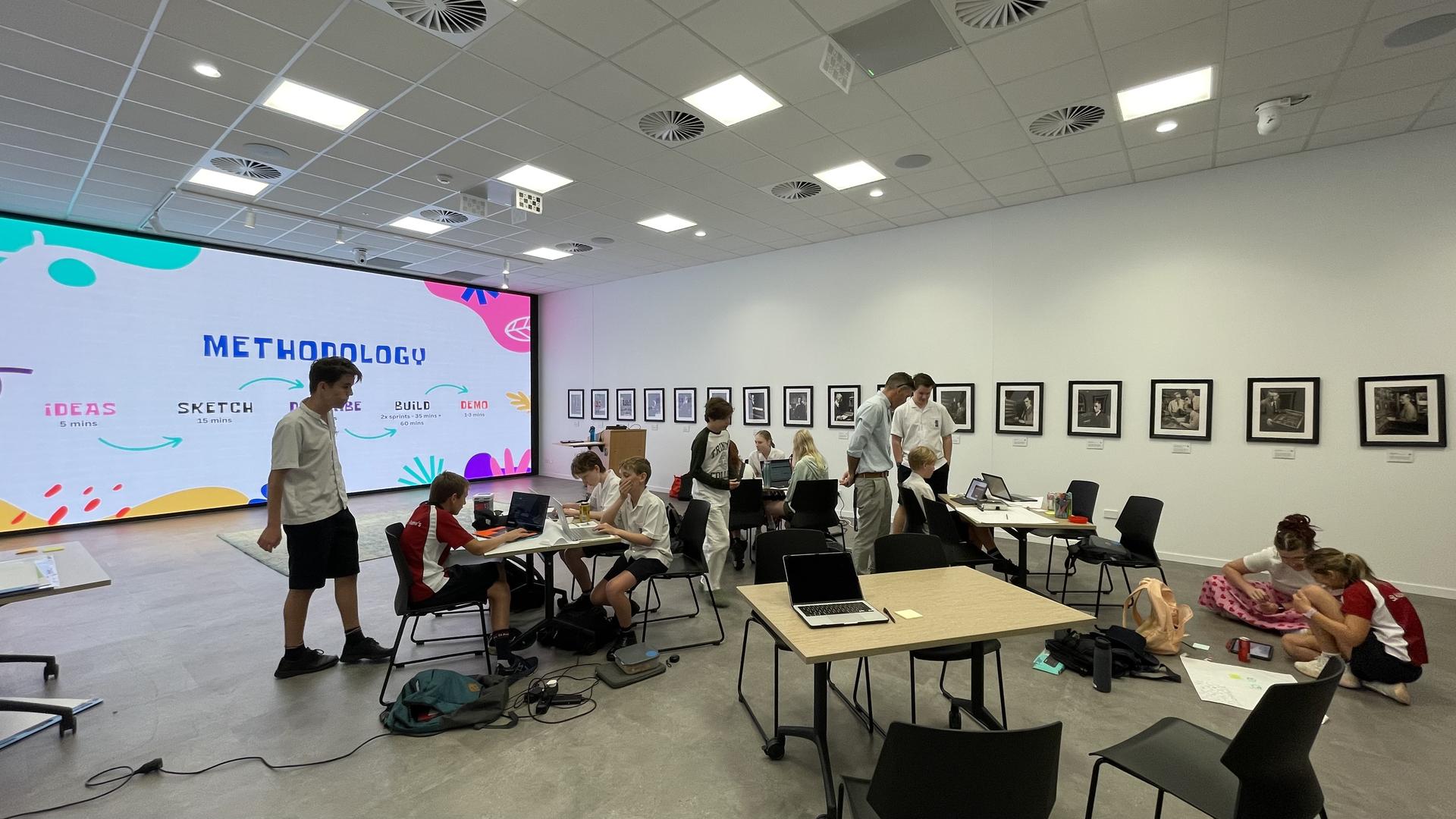
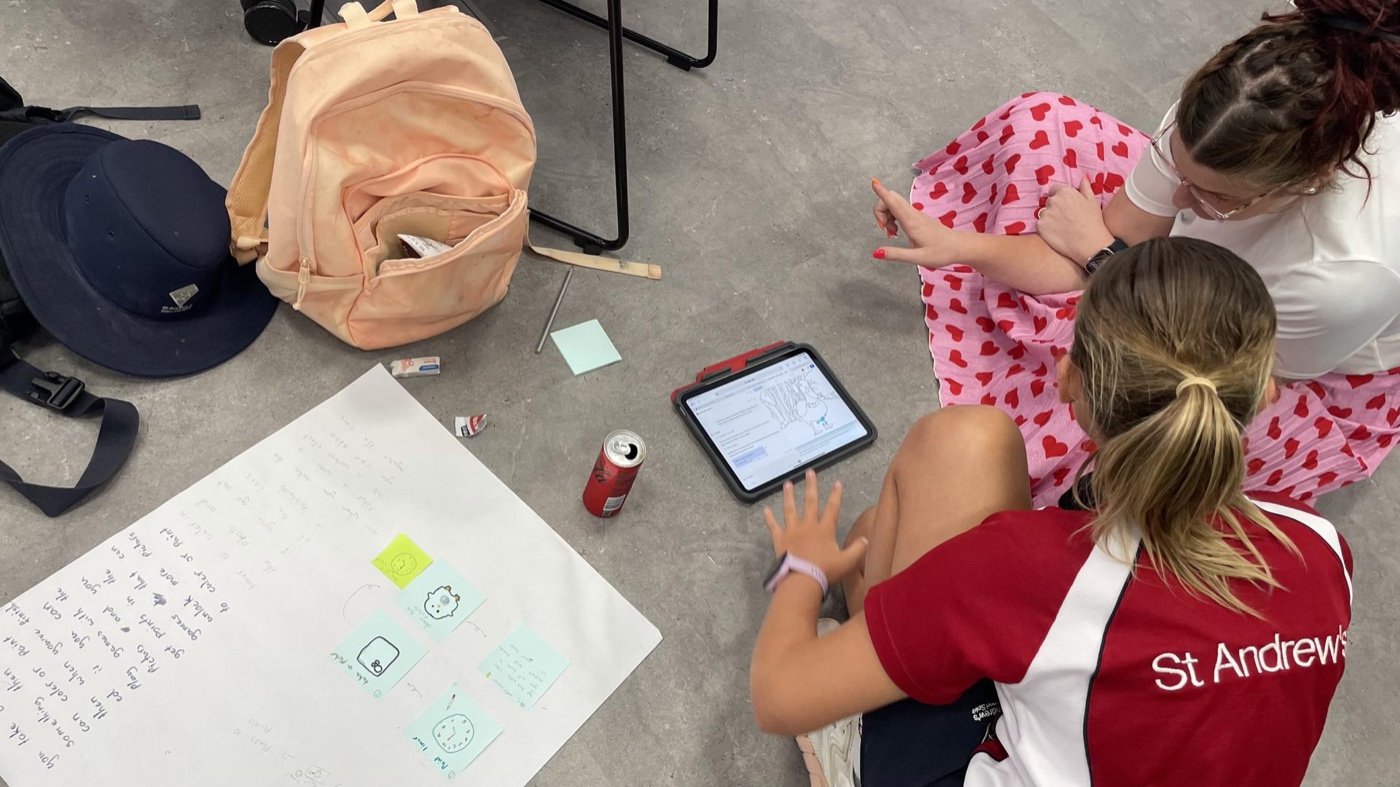
First global site of the Worldwide Kids Vibe Coding Hackathon, co-hosted by Peregian Digital Hub and St Andrew's Anglican College. Nine students aged 9 to 13 built their own websites, apps, and games in four hours using AI-assisted creation tools. Co-led with Larry Hay, in partnership with the Peregian Digital Hub. A student moves from hand-drawn UI mockups to working prototypes during the Hackathon.
Big Wella Apps
Four products for Australian classrooms, building since 2022. The product side of the same work, shaped by what I've learned in classrooms.
- LiveWellaCite · citation tool for Australian students. Free during build.
- LiveWell Read · reading discovery for AU and NZ school libraries. Mood quiz, tier-aware interface, teacher dashboard.
- In buildBLACKOUT · narrative game on AI integrity for Years 6–10.
- In buildStarlit Watercolour · astrophysics through art for ages 6–10.

Inflamed.community
Ankylosing spondylitis research, openly.
A free catalogue of ankylosing spondylitis research, paired with an anonymous patient registry. So people can see what the science says, and how AS actually shows up across the community.
A free, plain-language library of AS research, gathered in one place so patients, carers, and clinicians can see what the science actually says.
A place for people to share how AS shows up in their lives, anonymously, so the lived picture of the condition sits alongside the published evidence.
This one is personal.I built it because I wanted the research to be something people living with AS could actually reach, and because the community deserves to see itself in the data, not just read about it.
Questions I'm working on.
Open questions that may turn into future projects.
- Scaffold effectiveness. Which scaffolds actually move students from copy-pasting AI output to interrogating it? Which ones produce mimicry instead?
- Transparency in AI systems. What students can be told about how the tool they're using actually works, and what difference that knowledge makes to how they use it.
- Play as gateway to complexity. When playful framing opens up serious technical territory, and when it stays as decoration. Where the line sits in classrooms.
- Student trust in tools. How quickly students stop questioning a tool that keeps being right. What that does to their reading, writing, and reasoning over a year.
- Information scarcity. When the answer is too easy to get, how does that shape what students are willing to wonder about?
- Tool stability. Tools change faster than frameworks. How do we teach AI literacy that still holds up when the next platform arrives?
The work, measured.
What people say.
We wanted them to be the kind of thinkers who know how to interrogate any source and hold it to account.
It was awesome, the kids really loved it. I had a bunch of them comparing the same prompt in ChatGPT, Perplexity, and Claude and deciding which was best. They were also really engaged in writing better prompts, so I think we can consider the presentation a huge success.
I really appreciate the thought and experimentation you've put into the guide. The format works well. It's clean, accessible, and walks users through the capabilities. I can absolutely see this becoming a valuable model for staff.
They treat access as literacy. Giving students a chatbot is not the same as teaching them how systems frame, distort, compress, and reward certain kinds of thinking.
This work keeps changing.
The frameworks get revised, the tools get rebuilt, and the workshops change each term, because the teachers and students using them are dealing with the same changes I am. I update the work with them, based on what they tell me.
Want to talk?
Let's build something.
Conferences, podcasts, articles, or a conversation about AI in classrooms. Different topics, same email. Tell me what you need, or email Sandy directly.
Get in touch